

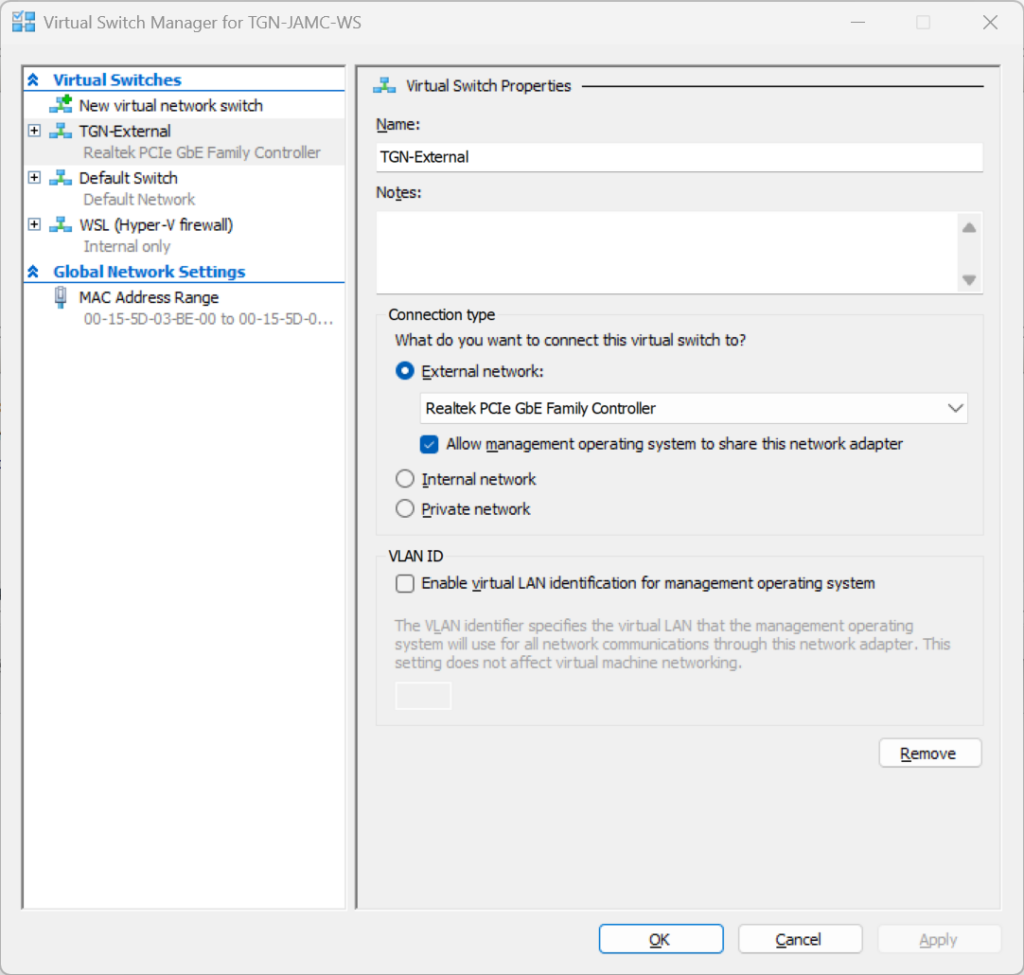
My Windows 11 Pro Workstation uses Hyper-V and I have a external virtual switch (TGN-External) and virtual interface (vEthernet (TGN-External)) that gets an IP via DHCP on the network
I want to assign another secondary IP address (192.168.1.2) so I can connect to a pfsense netgate appliance
Going into the vEthernet (TGN-External) interface in the GUI and assigning an Alternative Configuration didn't work
I had to add a second vEthernet (Hyper-V Virtual Ethernet Adapter #4) and then assign it an IP vEthernet (PFSENSEIP)
Add-VMNetworkAdapter -ManagementOS -Name PFSENSEIP -SwitchName TGN-External

# to see interface index
Get-NetAdapter

# assign the ip
New-NetIPAddress -InterfaceIndex 9 -IPAddress 192.168.1.2 -PrefixLength 24

If you need to remove multiple bad attempts, or remove the interface when finished, you can use the following snippet
Get-VMNetworkAdapter -ManagementOS -Name PFSENSEIP | Remove-VMNetworkAdapter
Get the adaptors linked to the Mangement OS
 Get-VMNetworkAdapter -ManagementOS

Name                                           IsManagementOs VMName SwitchName             MacAddress   Status IPAddre
                                                                                                                sses
----                                           -------------- ------ ----------             ----------   ------ -------
TGN-External                                   True                  TGN-External           00D861FCA356 {Ok}
PFSENSEIP                                      True                  TGN-External           00155D03BE1F {Ok}
Host Vnic C08CB7B8-9B3C-408E-8E30-5E16A3AEB444 True                  Default Switch         00155D879E18 {Ok}
Host Vnic 790E58B4-7939-4434-9358-89AE7DDBE87E True                  WSL (Hyper-V firewall) 00155D4DAD0A {Ok}
External Switch shown in Hyper-V
0 Comments