

This morning I opened a OneDrive file on my Windows Workstation and found the entries I did on MacOS weren't there. OneDrive reported "your files are synced"
So here is how you confirm that the files are different or exactly the same
# on a OneDrive file on my mac

cd ~/OneDrive - Toggen Group/
md5sum Book1-disburse.xlsx
6a4b9cef839794286e394e7c56b6374f

# on my ondrive file on Windows 11 using powershell
Get-FileHash -Algorithm MD5 .\Book1-disburse.xlsx

Algorithm       Hash                                                                   Path
---------       ----                                                                   ----
MD5             6A4B9CEF839794286E394E7C56B6374F                                       C:\Users\james\OneDrive - Tog...

# make the md5sum lowercase to it's the same as the MacOS / Linux output
(Get-FileHash -Algorithm MD5 .\Book1-disburse.xlsx).Hash.ToLower()
6a4b9cef839794286e394e7c56b6374f
If the file md5sum sums are different you have some options to try
- make sure OneDrive is running (sometimes this is the reason why the files aren't synced)
- wait for sync to complete
- or pause and restart sync and hope it grabs the latest after a sync restart
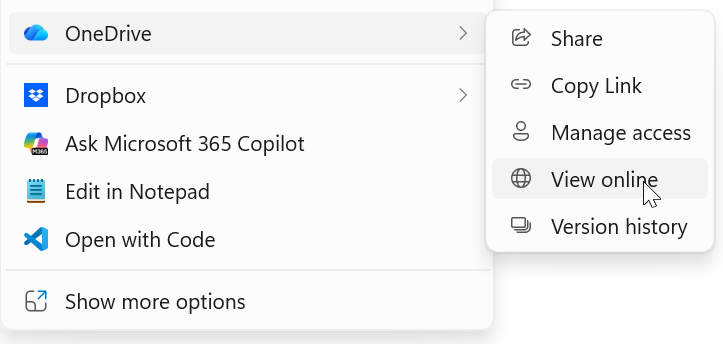
- view the file online to get the latest version from the cloud. To do that, right click on the file and choose the OneDrive menu and View online.
You're looking for the mdsum hash to match on both machines
0 Comments