
Problem: User complains they are prompted for their Local Windows Hello PIN and then entering that the RDP connection fails to authenticate
Work-a-round (too many clicks): At the prompot for a PIN choose More Choices => Use a different account and re-enter your remote RDP Credentials (either DOMAIN\user or [email protected])
Work-a-round (Better):
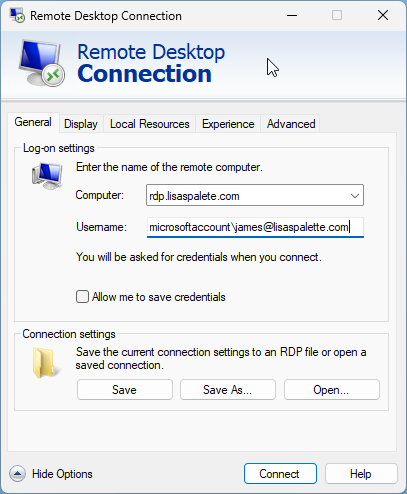
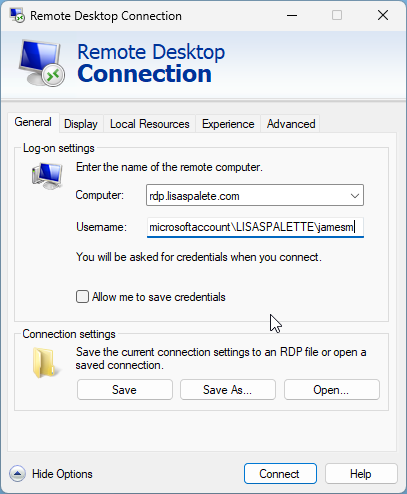
Enter your account as "microsoftaccount\[email protected]" into to the RDP's connection "User name:" field. You can also put "microsoftaccount\DOMAIN\user "into the "User name:" field too e.g. (microsoftaccount\LISASPALETE\jamesm
The user name settings as the previous paragraph will have the user prefilled and prompt you for your remote password without Windows Hello stepping in front of it and asking for a PIN
I appreciate the tip, and found that the "microsoftaccount\[email protected]" works for me, but then on the next login, the username defaults to "[email protected]" and it defaults to Windows Hello again. Since I have to type "microsoftaccount\" every time to avoid defaulting to Windows Hello, I think the "too many clicks" workaround is actually less work.
Maybe save the connection as a RDP file so it defaults to the saved username