
One of my Elementor Pro sites sent an email saying the below.
When I tried logging into /wp-admin there was a warning about a critical error, and no login form presented
Remove Elementor Plugins
I ended up removing the elementor plugins
tar -czvf backup.tar.gz /var/sites/example.com/html_root

# move the elementor plugins

mkdir ~/fix-elementor-error/
mv /var/sites/example.com/html_root/wp-content/plugins/elementor ~/fix-elementor-error/
mv /var/sites/example.com/html_root/wp-content/plugins/elementor-pro ~/fix-elementor-error/
Re-install and re-activate Elementor and Elementor-Pro
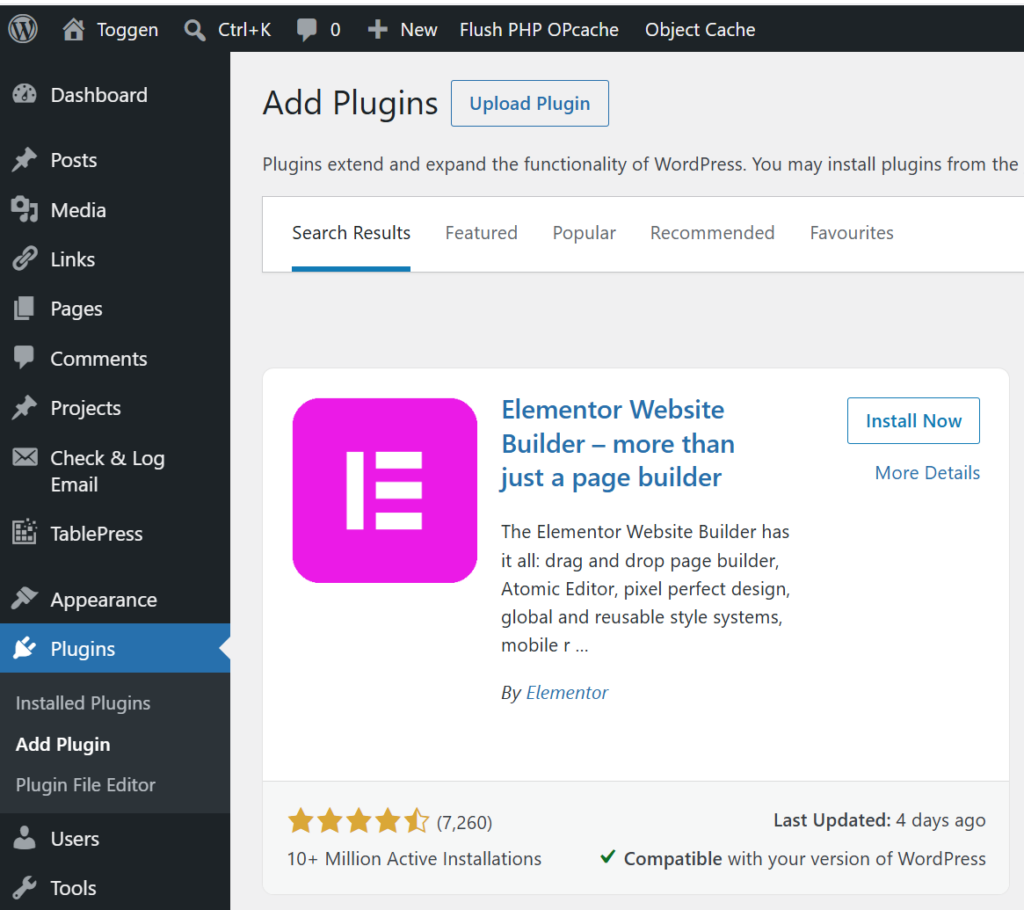
Log into the site and re-install and re-activate elementor (Using Plugins => Add Plugin => Search "elementor" => Install Now)
And downloaded the latest zip of and re-upload the elementor-pro plugin (elementor-pro-4.1.1.zip) and use the Upload Plugin button
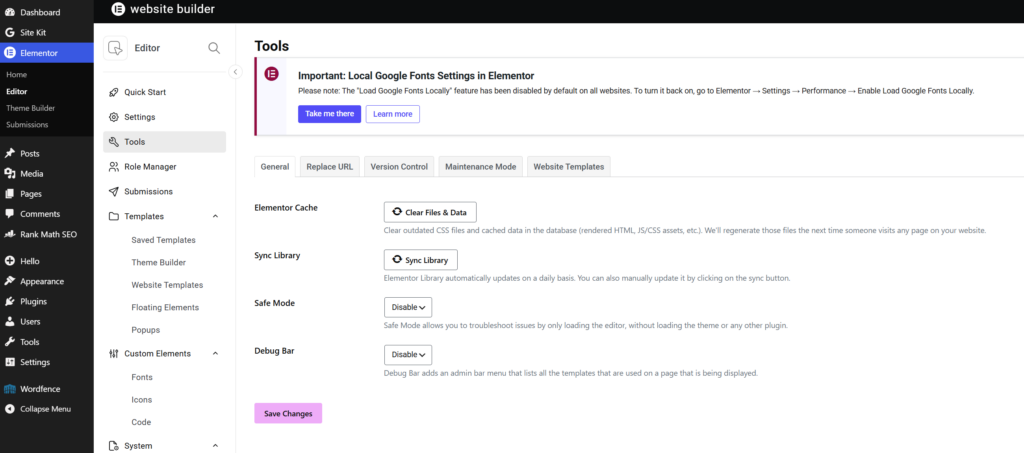
Clear Files & Data and Caches
I also had to go into Elementor => Editor => Tools => General Tab and click the "Clear Files & Data" and "Sync Library"
Also an important step was clear any Caches that may be being used.
Email from WordPress Site
When seeking help with this issue, you may be asked for some of the following information:
WordPress version 7.0
Active theme: Hello Elementor (version 3.4.9)
Current plugin: Elementor (version 4.1.3)
PHP version 8.5.7


Error Details
=============
An error of type E_ERROR was caused in line 33 of the file /var/sites/example.com/html_root/wp-content/plugins/elementor/modules/editor-one/module.php. Error message: Uncaught Error: Class "Elementor\Modules\EditorOne\Classes\Editor_One_Pointer" not found in /var/sites/example.com/html_root/wp-content/plugins/elementor/modules/editor-one/module.php:33
Stack trace:
#0 /var/sites/example.com/html_root/wp-content/plugins/elementor/core/base/module.php(86): Elementor\Modules\EditorOne\Module->__construct()
#1 /var/sites/example.com/html_root/wp-content/plugins/elementor/core/modules-manager.php(64): Elementor\Core\Base\Module::instance()
#2 /var/sites/example.com/html_root/wp-content/plugins/elementor/includes/plugin.php(712): Elementor\Core\Modules_Manager->__construct()
#3 /var/sites/example.com/html_root/wp-content/plugins/elementor/includes/plugin.php(630): Elementor\Plugin->init_components()
#4 /var/sites/example.com/html_root/wp-includes/class-wp-hook.php(341): Elementor\Plugin->init()
#5 /var/sites/example.com/html_root/wp-includes/class-wp-hook.php(365): WP_Hook->apply_filters()
#6 /var/sites/example.com/html_root/wp-includes/plugin.php(522): WP_Hook->do_action()
#7 /var/sites/example.com/html_root/wp-settings.php(771): do_action()
#8 /var/sites/example.com/html_root/wp-config.php(100): require_once('...')
#9 /var/sites/example.com/html_root/wp-load.php(50): require_once('...')
#10 /var/sites/example.com/html_root/wp-admin/admin.php(35): require_once('...')
#11 /var/sites/example.com/html_root/wp-admin/index.php(10): require_once('...')
#12 {main}
  thrown
0 Comments