
The location of the Windows Store version of GIMP 3 is under C:\Program Files\WindowsApps
I tried to navigate into C:\Program Files\WindowsApps to find gimp-3.exe but I get an access denied.
Therefore, to add the Windows Store version of GIMP 3 as an external editor in IrfanView you can copy the path to gimp-3.exe from the Registry as follows:
In Registry Editor
Search the HKEY_CLASSES_ROOT registry area for "GIMP"
The Registry Editor should open to a folder tree that points to GIMP
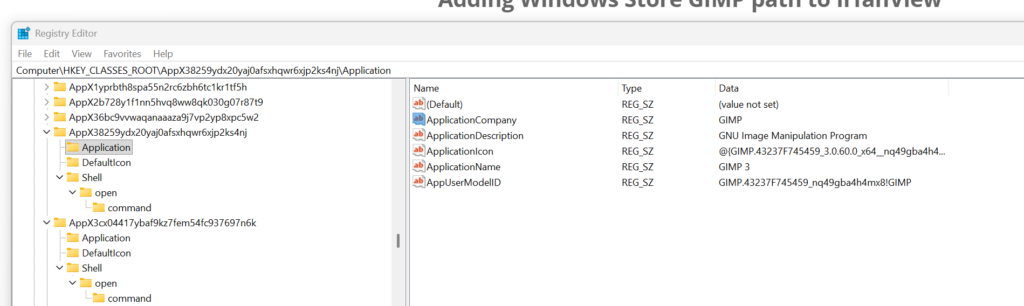
Expand and take note of the (Default) value under HKEY_CLASSES_ROOT\AppX38259ydx20yaj0afsxhqwr6xjp2ks4nj\Shell\open\command\

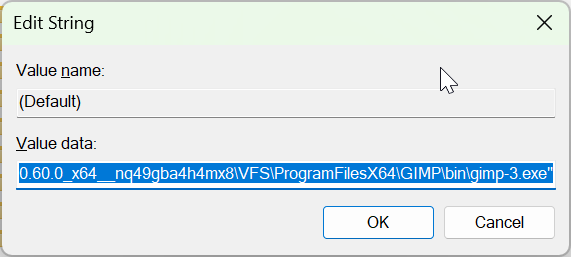
"C:\Program Files\WindowsApps\GIMP.43237F745459_3.0.60.0_x64__nq49gba4h4mx8\VFS\ProgramFilesX64\GIMP\bin\gimp-3.exe"
In IrfanView
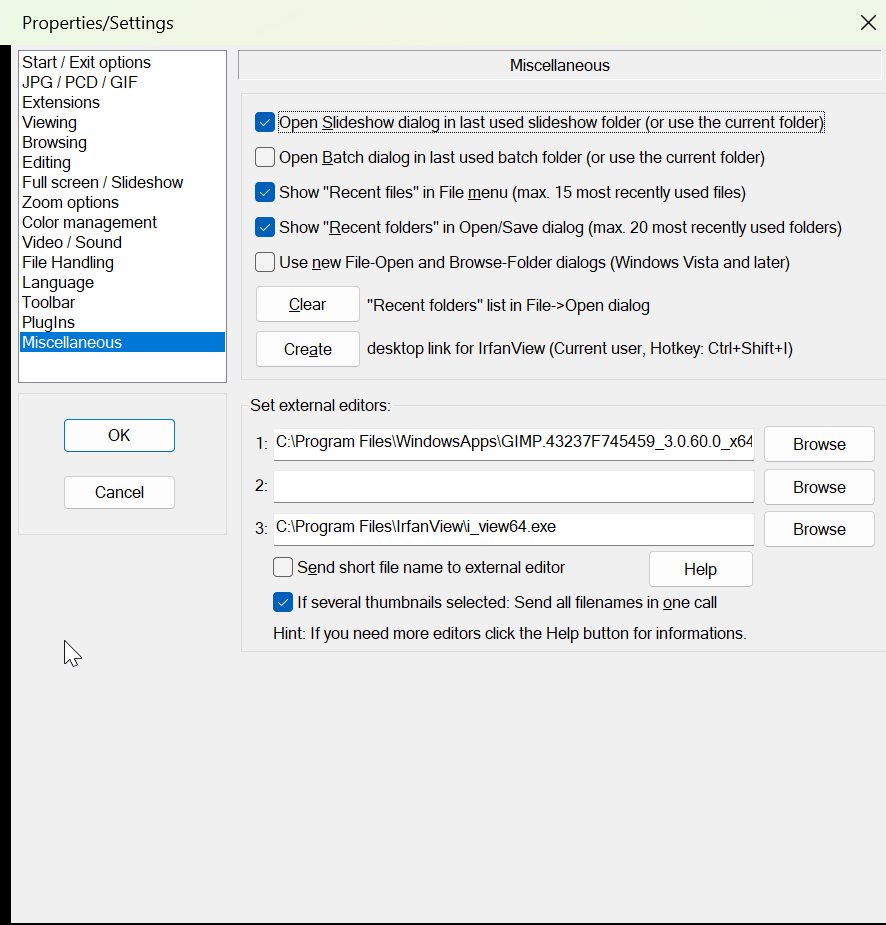
In IrfanView go to Options => Properties => Miscellaneous find the 'Set external editors:' fields and enter "C:\Program Files\WindowsApps\GIMP.43237F745459_3.0.60.0_x64__nq49gba4h4mx8\VFS\ProgramFilesX64\GIMP\bin\gimp-3.exe" (without the quotes) in one of them.
Click OK
0 Comments