
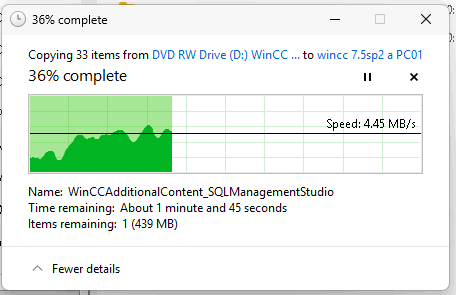
The problem: I have 2 Optiplex XE 4 Series Workstations each having "ATA HL-DT-ST DVD+/-RW GU90N" DVD/CD-ROM Drives which had **extremely** slow copy off CD or DVD's e.g. 7GB took over 24 hrs. The copy would start and then drop to 0 bytes/sec and then stay like that for minutes then go up for a few seconds and repeat. The files transferred seem to be uncorrupted but the copy speed was terrible.
Attempted to fix by: Running Windows updates, Dell SupportAssist, Dell Optimizer and Dell Command Update tools. These didn't detect and install the necessary driver.
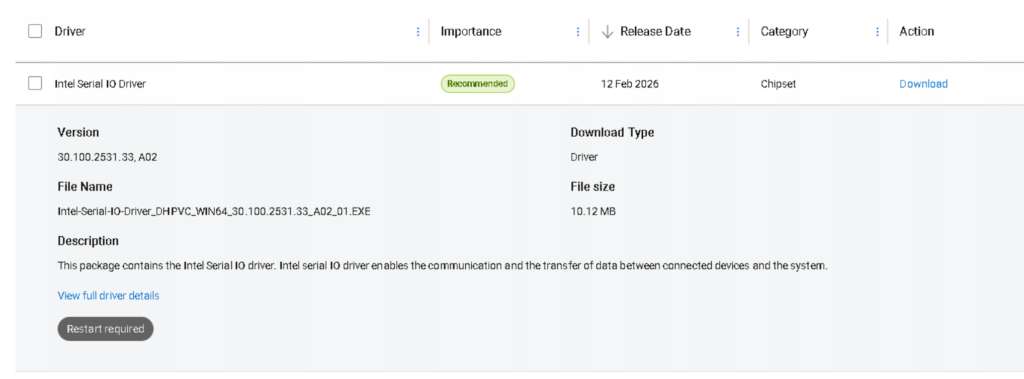
Resolution: Goto https://www.dell.com/support/ enter the Service tag and search for download and manually install the Intel Serial IO Driver Intel-Serial-IO-Driver_DHPVC_WIN64_30.100.2531.33_A02_01.exe . File copy speed returns to expected behavior, variable but around ~4.45 MB/s without the long periods of 0 bytes/s pauses.
0 Comments