
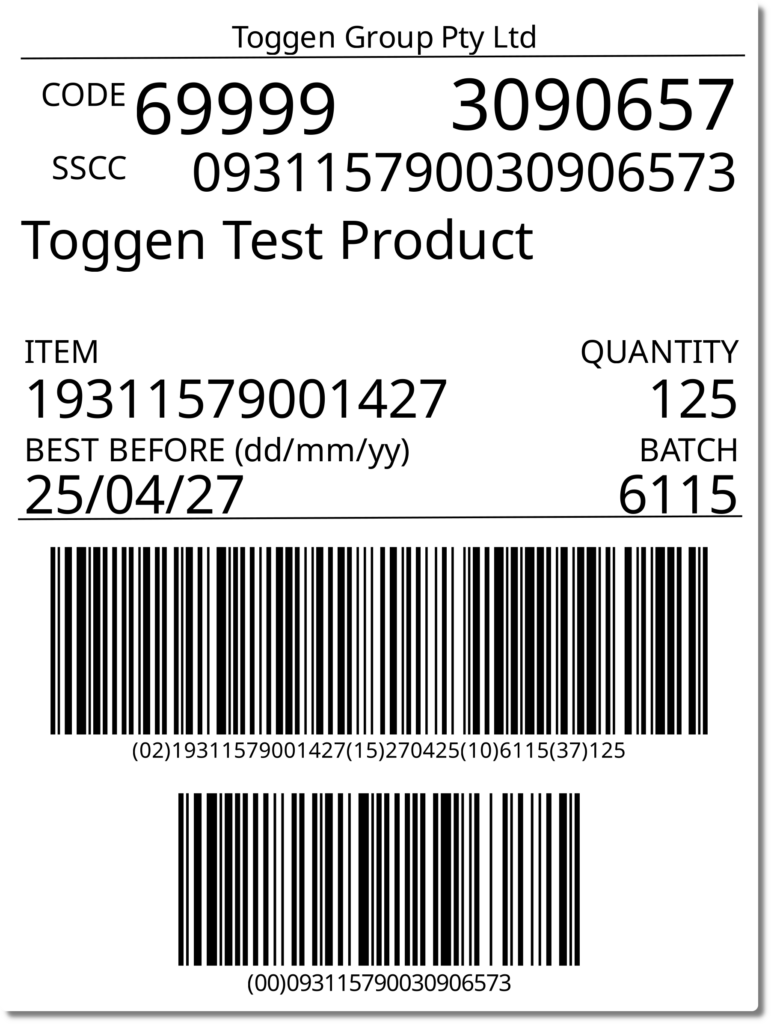
Problem: The default version of Glabels 3 in Ubuntu 26.04 doesn't include support for the Zint (https://zint.org.uk/) library. I use zint for it's GS1-128 encoding (see example label output below)
Working Zint Version is 2.6.3
Tried it with the latest version of libzint zint-2.16.0-src but it wasn't detected by glabels during configure
sudo apt-get -y build-dep glabels
sudo apt-get install cmake
Doing the build-dep command above. You may get this error
sudo apt-get -y build-dep glabels
Reading package lists... Done
E: You must put some 'deb-src' URIs in your sources.list
Modify /etc/apt/sources.list.d/ubuntu.sources to include deb-src
Types: deb deb-src
URIs: http://archive.ubuntu.com/ubuntu/
Suites: resolute resolute-updates resolute-backports
Components: main restricted universe multiverse
Signed-By: /usr/share/keyrings/ubuntu-archive-keyring.gpg
Remove later versions of libzint, if they exist
# remove system libzint's
sudo apt-get remove zint*
sudo apt-get remove libzint*
# compile version of libzint I know works
export CMAKE_POLICY_VERSION_MINIMUM=3.5

wget https://downloads.sourceforge.net/project/zint/zint/2.6.3/zint-2.6.3_final.tar.gz && \
tar -xvf zint-2.6.3_final.tar.gz && \
    cd zint-2.6.3.src/ && \
    mkdir build && cd build && \
    cmake .. && make && \
    sudo make install
# /usr/local/bin/zint
Get the resolute glabels code with patches applied
git clone -b applied/ubuntu/resolute https://git.launchpad.net/ubuntu/+source/glabels
cd glabels
./configure --with-libzint
make
sudo make install
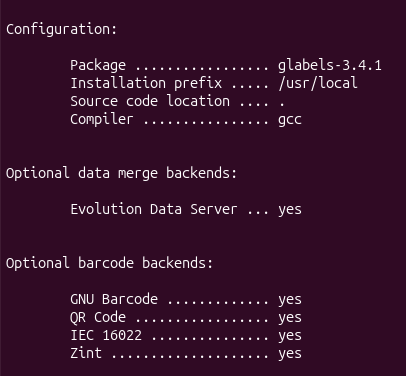
Output of ./configure --with-libzint
The following example is a SSCC label using libzint barcodes in Glabels 3.
The text layout seems to change slightly across time (due to font changes and other quirks) so I should edit the template in Glabels to fix the spacing and layout.
0 Comments