
I have VMWare Fusion on my M1 Macbook Pro running an ARM64 Ubuntu 26.04 LTS VM
In the VM spatie/browsershot is running to create PDF's in a web app so I need a working instance of Chromium Browser which the PHP-FPM service running as the www-data user can run to generate PDF's
The problem is the snap version of Chromium Browser doesn't work, neither does the flatpak, both are sandboxed up the cahzoo and won't run.
So I want to install a non-sandboxed version of Chromium Browser
You need to go to the Debian Trixie package site and download chromium, chromium-common and libjpeg62-turbo
https://packages.debian.org/trixie/arm64/chromium
https://packages.debian.org/trixie/arm64/chromium-common/download
https://packages.debian.org/trixie/arm64/libjpeg62-turbo/download
Also you may need to install a number of dependencies.
sudo apt-get install libopenh264-8 \
 libdouble-conversion3 \
 libxnvctrl0 \
 libdav1d7 \
 libminizip \
 libminizip-ng4t64 \
 libminizip1t64

# install the downloaded packages
sudo apt-get remove libjpeg62
sudo dpkg -i libjpeg62-turbo_2.1.5-4_arm64.deb
sudo dpkg -i chromium-common_147.0.7727.116-1~deb13u1_arm64.deb
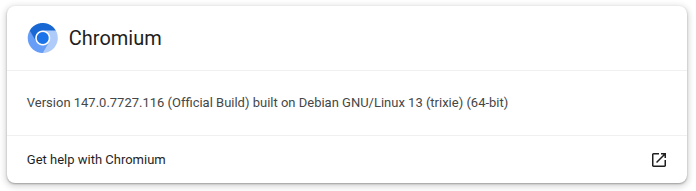
sudo dpkg -i chromium_147.0.7727.116-1~deb13u1_arm64.deb
Once the above is done Chromium seems to launch and run happily and Puppeteer / spatie/browsershot worked well.
0 Comments