
Trying to get more reliable Veeam Agent for Windows backups to Synology SMB shares which are failing... with errors
The network path is:
Optiplex XE 4 Workstation <=> NETGEAR A6150 WiFi USB 2.0 Adapter <=> Unifi WAP <=> Unifi Switch <=> Unifi UBB <=> Cisco Switch <=> Fibre Link <=> Cicso Switch <=> Synology RS819 running DSM 7.3.2-86009 Update 1 and SMB Service 4.15.13-3047
I am getting errors in the backup as follows:
16/03/2026 12:17:06 PM :: Error: An unexpected network error occurred. Asynchronous request operation has failed. [requestsize = 1052672] [offset = 53111980032] Asynchronous request operation has failed. [requestsize = 1052672] [offset = 53113032704] Failed to download disk 'f4f115fe-3b8e-46e1-ba5c-a6ada8e3cff6'. (An unexpected network error occurred.) (Asynchronous request operation has failed. [requestsize = 1052672] [offset = 53111980032]) (An unexpected network error occurred.) (Asynchronous request operation has failed. [requestsize = 1052672] [offset = 53113032704]) (Failed to download disk 'f4f115fe-3b8e-46e1-ba5c-a6ada8e3cff6'.)
Attempt to change Synology Settings to get the Veeam backup to reliably complete
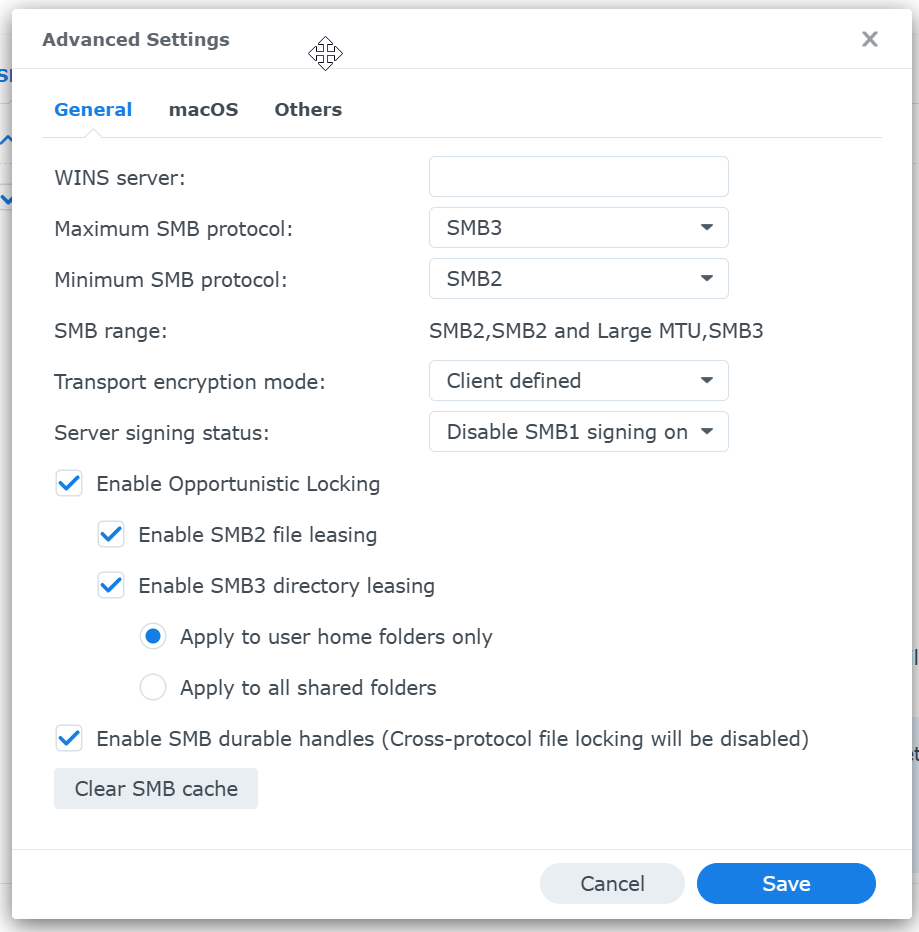
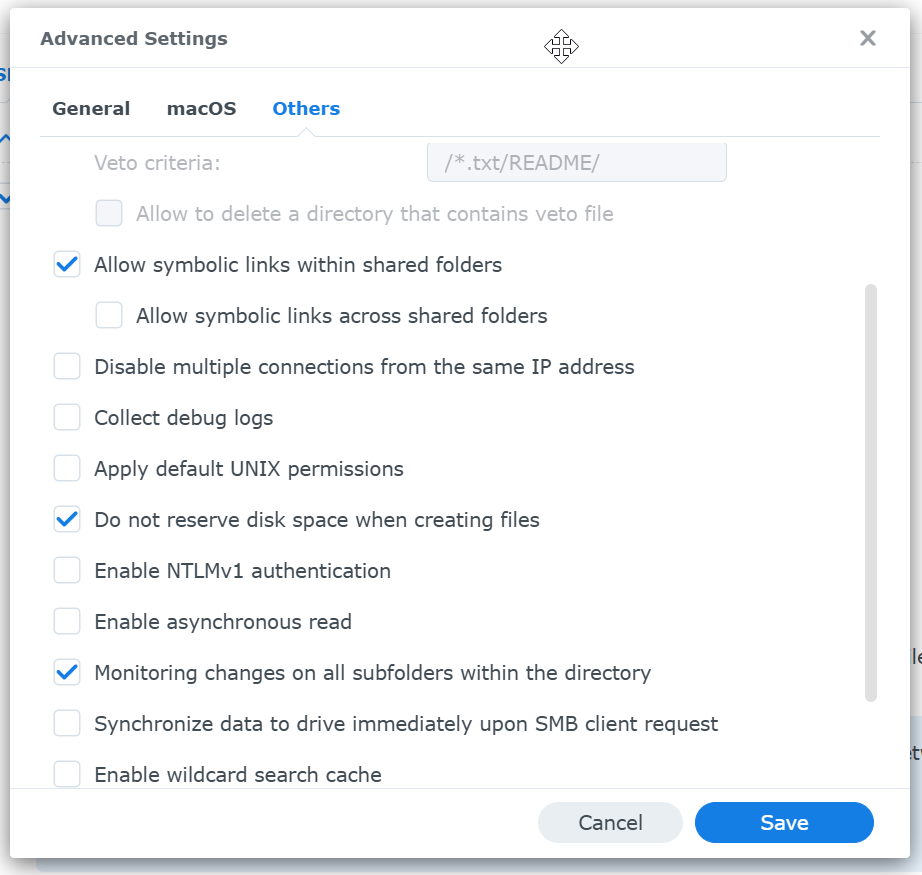
Tick "Do not reserve disk space when creating files" and "Enable SMB durable handles (Cross-protocol file locking will be disabled)" and save
Goto Control Panel => File Services => Advanced Settings => Tick Enable SMB durable handles (Cross-protocol file locking will be disabled)"
Goto Control Panel => File Services => Advanced Settings => Others => Tick "Do not reserve disk space when creating files"
0 Comments