
Full page screenshots are very useful when documenting long configuration pages (unifi, pfsense, opnsense etc), or capturing all the elements of a webpage design for future reference (for example when you want to know if an update has caused a styling change)
Unfortunately there isn't a way I know of to assign a shortcut key combination directly to the "Capture full size screenshot" command in Google Chrome
Here are the steps I use to do it on Windows
- Ctrl + Shift + I (that's an i)
- Ctrl + Shift + P
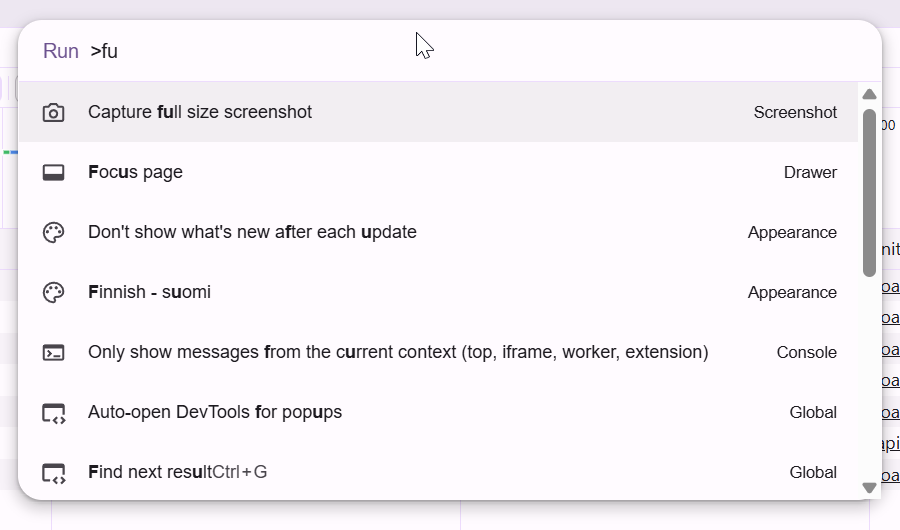
- Type "fu" into the run command popup dialog
- Press Enter when you see Capture full size screenshot selected
0 Comments