
I bought a MK726 Dell Pro Keyboard and Mouse
Updated the firmware using the Dell Peripheral Manager
Using the USB-A dongle it's been grabby and a challenge to use without annoyance
So now I'm trying the Bluetooth connection
I've paired the Keyboard using fn+F11 which is 2 and the mouse I clicked the button underneath until 3 flashes and connect it to Bluetooth
The USB dongle can be connected by pressing fn+F10 which is the 1 slot
With Bluetooth it's worked great for a while and then suddenly both the mouse and the keyboard stop working.
Try this if your Bluetooth Keyboard and Mouse Both Disconnect Randomly
So maybe the Bluetooth adapter is going into power saving mode.
The first challenge is how to make the following adjustment when you don't have a Keyboard or Mouse. I just re-plugged in the USB-A dongle and temporarily switch back to that as the connection. After I make the change I reconnected via Bluetooth.
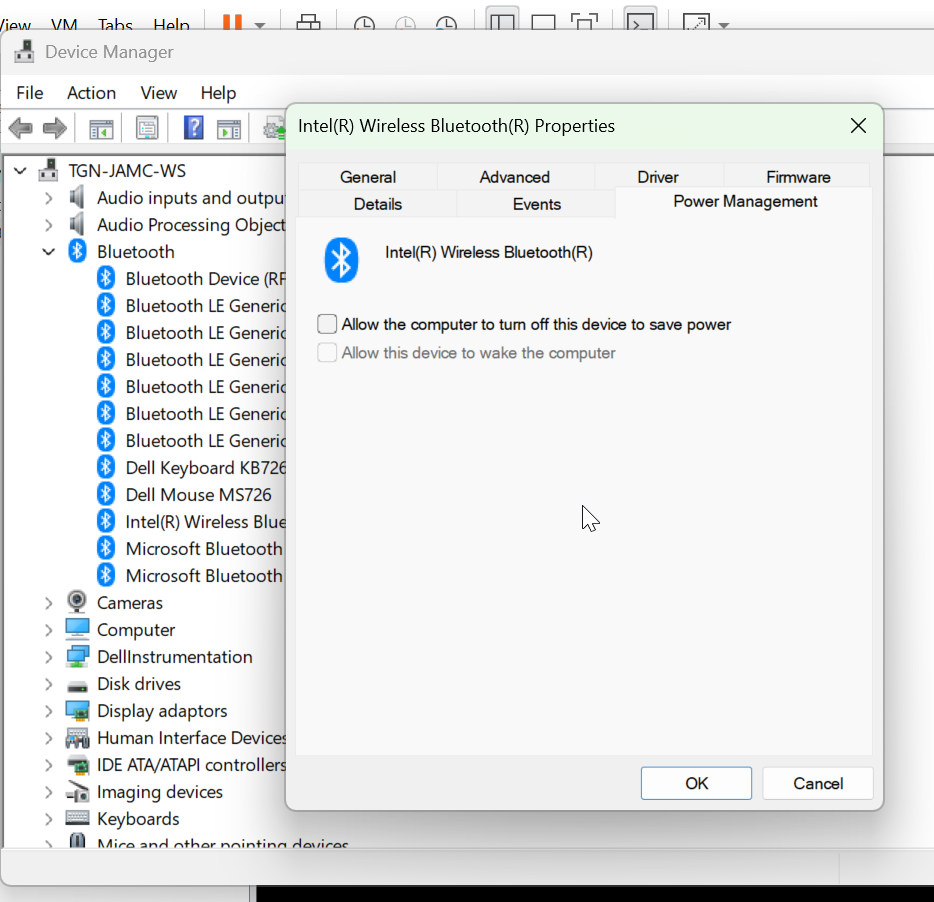
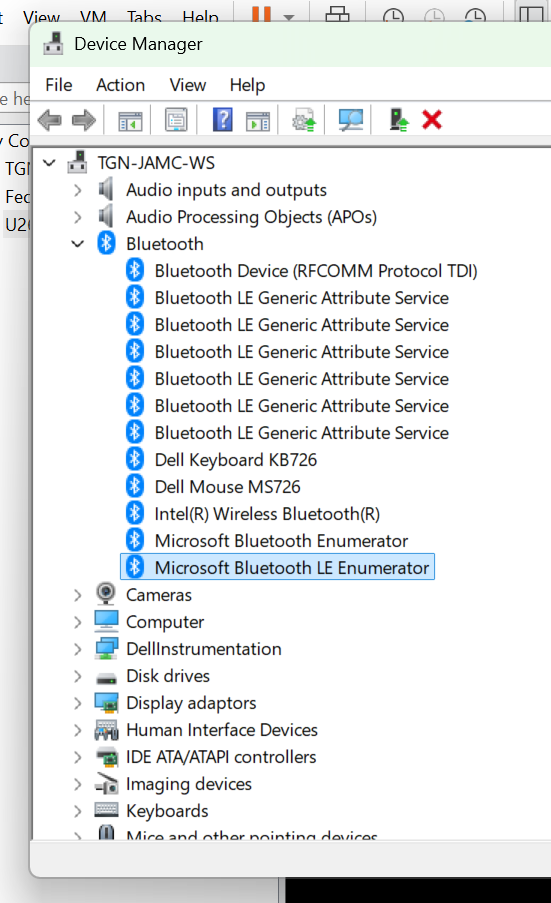
So I've gone into Device Manager and selected the Inter(R) Wireless Bluetooth(R) Adapter and uncheck "Allow the computer to turn off this device to save power" on the Power Management tab
Now it'll be a matter of testing the connection for a number of hours and seeing if it's stable, non-grabby and less annoying to use.
Current Problem (not really a problem)
On reboot I have to press the pairing button on the mouse to reconnect it to Bluetooth, the keyboard auto connects and it's been a lot better. I've been using the computer for an hour or two and I haven't had mouse grabbing/freezing issues or keyboard input loss... yet.
0 Comments