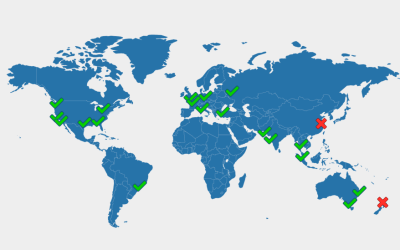
Just discovered Lucid Charts. It is a diagramming program you can run in your browser. First look: Feature Rich - Provides generic Network and Network Infrastructure Shapes. It provides Cisco, Azure and AWS shapes and a heap of 'clip-art' network and equipment shapes...
Just discovered etckeeper yum install etckeeper etckeeper init -d /etc etckeeper commit "Inital Commit" Once you have done the above, your /etc will be under git version control. You can then make changes to configuration files in /etc/* and etckeeper will...
Indifference (drift) (Hot or cold not lukewarm) What if it’s the wrong direction? Even if you go in the wrong direction but with feeling you’ll find out quicker and can adjust. Inspiration or desperation Strong Feeling people do better than people you need to...
This is a handy site if you are wondering why some parts of the global internet are still resolving an old IP address after a DNS record update. https://www.whatsmydns.net Go to the above site, enter your domain name and wulah!
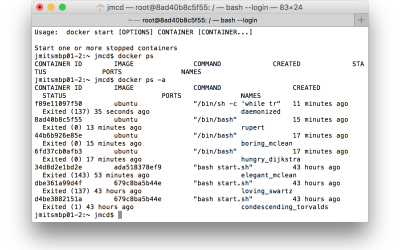
Just bought copy of www.dockerbook.com and am running through the code samples as I read. Just did a docker ps -a and noticed one of the auto-named containers was "condescending_torvalds". Wondering now what other names Linus will be called as I keep doing the...
cd /d c:\ du -l 1 . ... output of du showing big directories ... cd /d C:\inetpub\logs\LogFiles REM for test C:\inetpub\logs\LogFiles>forfiles /M *.log /S /D -09/11/2015 /C "cmd /c echo @path" REM fo real C:\inetpub\logs\LogFiles>forfiles /M *.log /S /D...
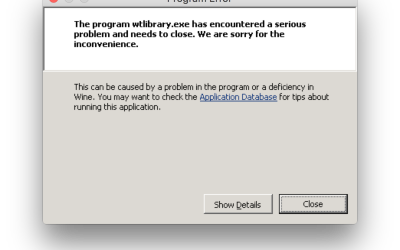
After a recent brew upgrade I tried to launch one of my Wine applications and it exited with a "Program Error" screen Apparently when a brew upgrade runs it links to the version of the program that it has just installed. In my case it made wine version 1.6.2_1 the...
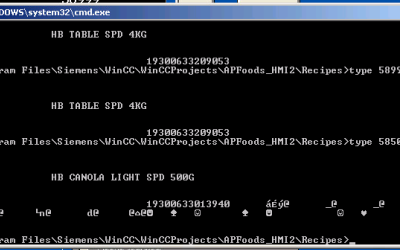
I am having an issue with a Siemens WinCC control system that writes C struct data to files on disk under windows. The C function in the control system (see below) reads the Tag values from the user interface into a struct and then writes it to disk with a call to...
I wrote a post about hacking another instance of Postgres onto the Synology Diskstation. But now that Synology has docker you can do it nicely. Don't know if I have included everything needed below but let me know in the comments if you have questions. You need to...
For years I have been typing history and then copying and pasting the result to the command prompt to rerun a command. But you can simply type history, make a note of the number and then type !xxxx where xxx is the number of the command. e.g.: history !1210